¶ Setup magento boelter
¶ requirements
- php 7.0
- ioncube
- elasticserach 2.3.5
¶ Repositories
-
Code
https://bitbucket.org/boelterbb/m2-shopboelter
branch: b2b -
Magento Licence
public: 9a5ffc48a83c7db1eb381dc4ad329bdf
private: 1504cf0f4236f78dc78c0dcd31790b69 -
Bitbucket
consumer-key: 4yAah9ccAS6EJLWSTB
consumer-secret: Chz88Eqd57FnG8tKrHQRL8LaHXdyjpha -
auth.json file with the credentials
¶ Installation
- Install lagom-magento-client
echo '//registry.npmjs.org/:_authToken=a6ae828e-e825-4d30-ad57-15032ca08a5c' > ~/.npmrc
npm install -g @lagomus/lagom-magento-cli
NOTE: this script works from the path of the project - Clone repository
git clone [email protected]:boelterbb/m2-shopboelter.git
cd m2-shopboelter
git checkout master - Configure project
lmc setup--> take a look to requirements
lmc start - Restore DB
Move SQL dump to ~/.lagom-magento-cli/backups/m2-shopboelter/mysql
lmc db restore
NOTE: dbname should not exists - Install magento
lmc composer install
chmod +x bin/magento
NOTE: FIX GLOB_BRACE, see below
Download, update DBNAME and copy env.php file to app/etc/env.php
lmc m2 setup:upgrade
lmc m2 setup:di:compile
lmc m2 "setup:static-content:deploy --theme Boelter/MyBoelter"
lmc m2 "setup:static-content:deploy --theme Boelter/ShopBoelterNew"
lmc m2 "setup:static-content:deploy --theme Boelter/backend"<- Admin
lmc m2 "admin:user:create --admin-user=fjorge --admin-password=admin1234 [email protected] --admin-firstname=Fede --admin-lastname=Jorge"
lmc restart - Add hosts to host file(/etc/hosts)
127.0.0.1 m2-shopboelter
127.0.0.1 myboelter
¶ FIX_GLOB_BRACE
¶ lmc shell php
edit /var/www/html/vendor/zendframework/zend-stdlib/src/Glob.php:64
¶ Activar Shipping Services
1- Clonar el repo https://bitbucket.org/boelterbb/oneboelter-microservice-shipping al mismo nivel que el proyecto
2- ir al proyecto clonado, en la consola de comandos ejecturar: npm config set '//registry.npmjs.org/:_authToken' 246e48f7-37b8-4ab5-a337-6fd093e67444
3- Ejecturar npm install
4- Ejecutar npm start
5- Solcitar al TL el archivo .env y colocarlo en el raiz del proyecto clonado
6- En el admin de magento en el scope default ir a Sales->Shipping Methods->Boelter Microservice Shipping Method->Microservice Configurations
-En MAC, colocar en campo API Endpoint lo siguiente: http://host.docker.internal:30139/
-EN Linux, primero averiguar la ip del container, desde la consola de comandos ejecturar lmc shell php --root y una vez dentro del contenedor ejecutar ifconfig, copiarse la ip luego de "PING" y colocarla en el campo API Endpoint, por ejemplo http://172.20.0.1:30139/
7- Guardar todo y limpiar cache
8- Cambiar al store my boelter y verificar que en los campos Preferred Parcel Carrier, Preferred Parcel Carrier Mode y Modes disabled when Hazmat items are present, tienen datos.
Cambiar el Definer
Ingresar como root a la base de datos
CREATE USER 'shopboelter'@'%';
GRANT ALL PRIVILEGES ON base.* TO 'shopboelter'@'%';
GRANT TRIGGER ON base.* TO 'shopboelter'@'%';
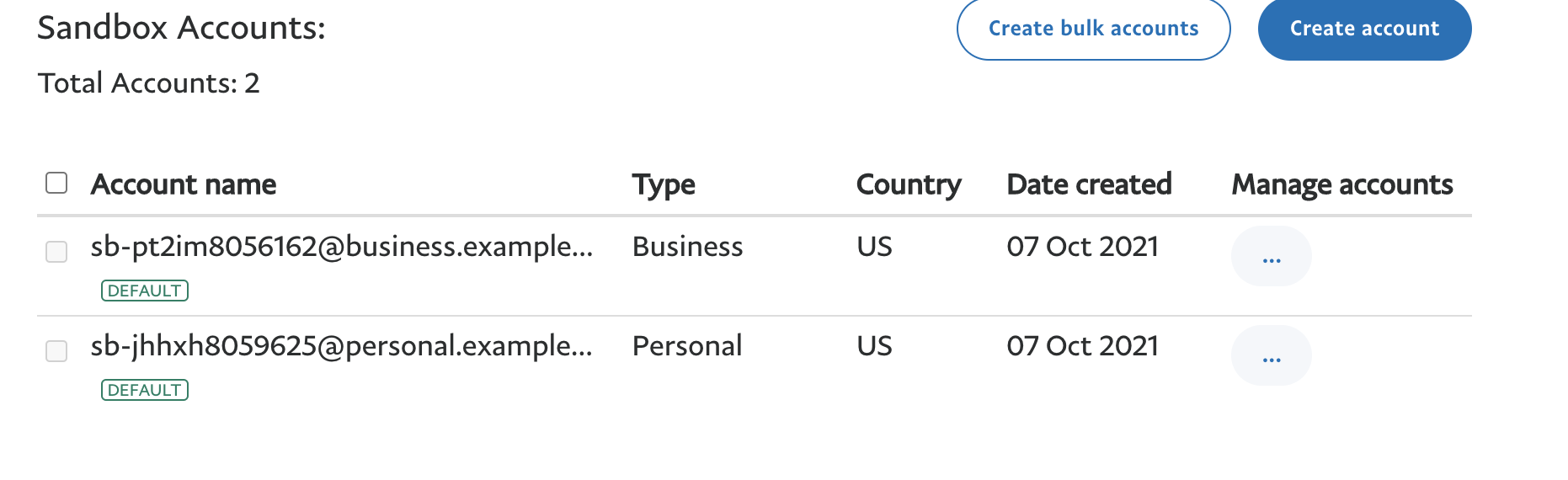
¶ Paypal test credentials:
Email: [email protected]
Username: sb-rhm43m3524992_api1.business.example.com
Password: PGBBA3EVMN4N5U2A
Signature: AX5pcbgVh2sTkrRKNWWwLJmuASacAs-zGFzknJqk7bPkgRVBGBMlSGG0
Client ID: AYTOsAhqCj4gTOlptXd-OksTdkQEaqykwpPF-_3tgd-5D324VB6mzJ0xzVSUVzV-9DyLT6lns1AtkHN_
Secret: EH1jKDNFGSASMJ1dlJ10EmmWwzG8uPnW-uzLVxEWDjfXwXlXeFIwfDQ-9_fwYejbclF1taYF6br5GaTX
You can see the transactions in:
https://www.sandbox.paypal.com/mep/dashboard
with login credentials:
As business:
Email: [email protected]
Pass: +CXA7--n
As buyer:
Email: [email protected]
Pass: 1ZS&pe)v
¶ ShipperHQ live credentials:
You'll want to follow the steps outlined in our doc here for getting the module installed:
https://docs.shipperhq.com/installing-magento-2-shipperhq-modules/
Here are the credentials you'll need to access our private satis repo, where you can download the module:
Username: prodigylabs
Password: Gahdee9y
Magento module credentials:
Scope: development
Api key - a20ba9c45202c67f738594ed044caf0f
Auhtentication code - ffd982bd37ed320f30a5c662ff40e03bd478ac85f6ea9c6572
¶ Avatax live credentials:
Account number: 1100049012
License key: A856527AAF4AC105
Company code: 0010
¶ Paymetric test credentials:
Test url: https://cert-xiecomm.paymetric.com/diecomm
Test GUID: 4b1c06ef-9bee-49b8-a928-35d63d7aa625
Test Shared Key: 5Xy$-4PrdL/6N2w_?fM38%qKpZ}9W7i{
¶ reCaptcha credentials:
Site key 6Lf336cbAAAAAJ11dzq35Kkgi87PDxFumX5JCwqs
Secret key 6Lf336cbAAAAACvE-7zM30uNPKWsUsDxNMfBm4dk