¶ UI/UX by Entity
¶ Tax
Tax entity CRUD screens.
¶ Listing
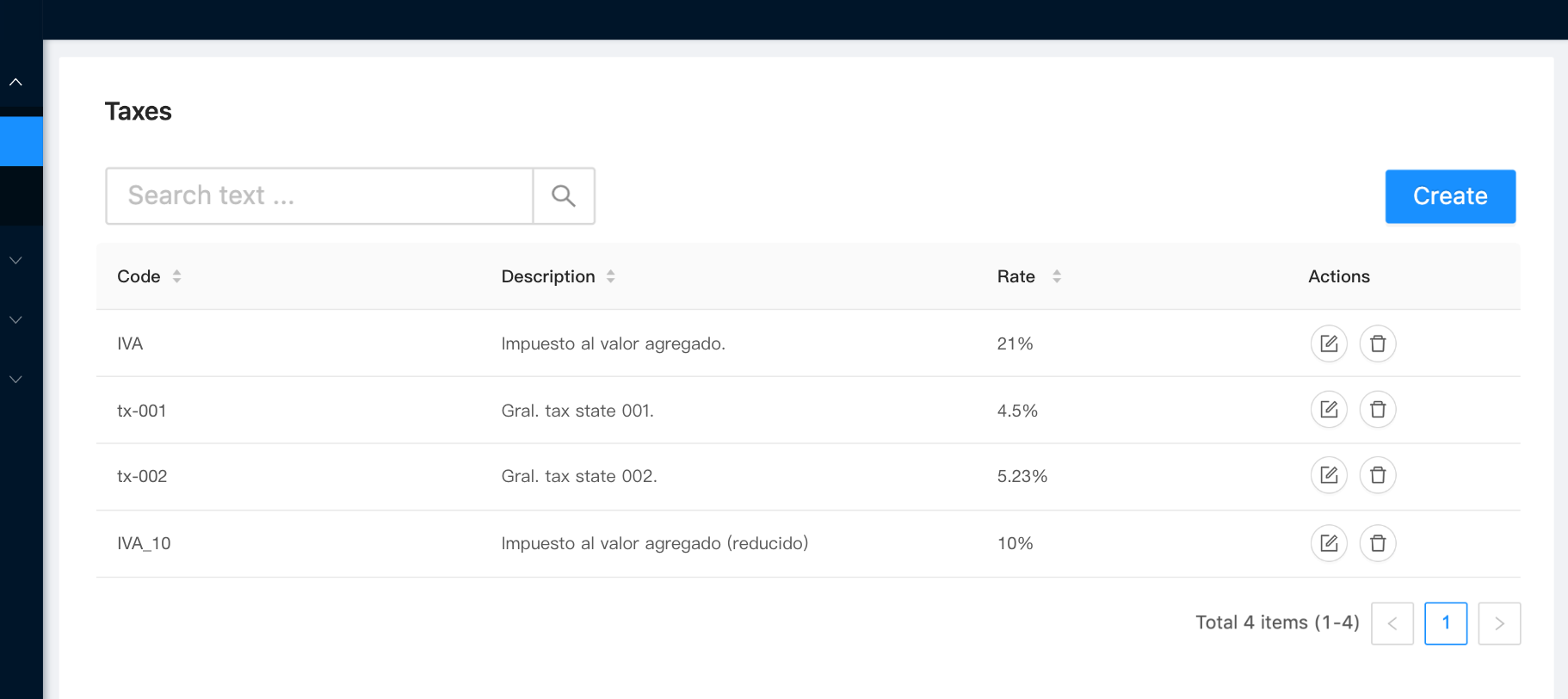
Tax grid screen.
Behavior
- Searchable
- Paginated
- Sortable
- Action buttons:
- Edit (pencil): Opens the entity form in edition mode.
- Delete (trash bin): Entity deletion with confirmation dialog.
- Create button: Opens the entity form in creation mode.
¶ Creation / Edition
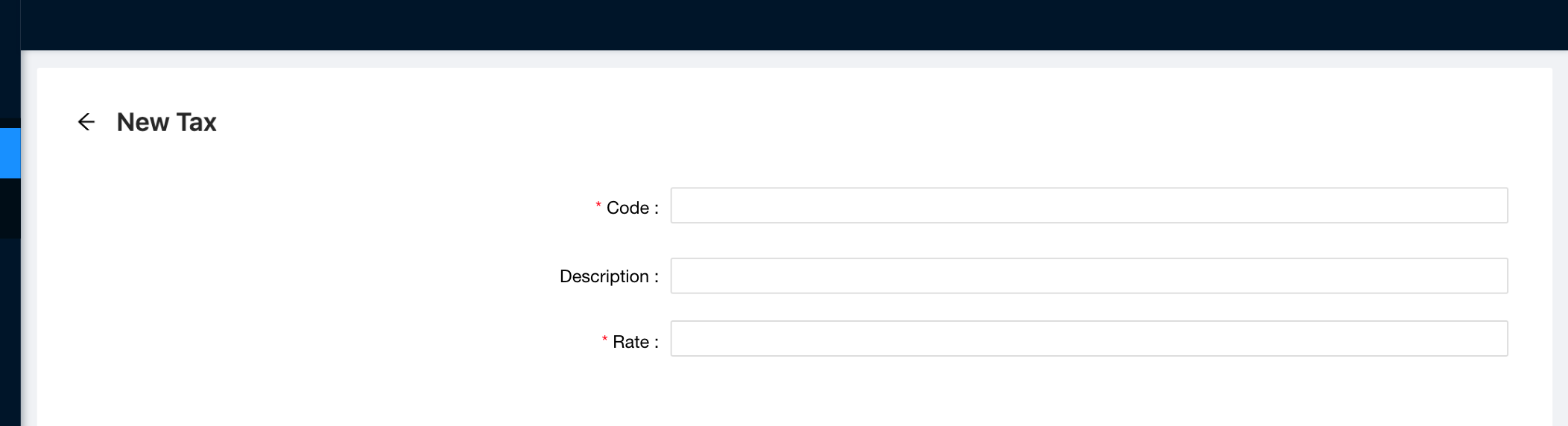
Tax form.
Behavior
- The only validation needed in the form is to check for required fields when applies (other validation are implemented in the API).
- The form shown in the image corresponds to the creation mode. The edition mode is almost the same but with the "Edit" word in the label instead of "New".
- The persistence of the entity is manager as usual with the bar "Discard changes / Submit".
- See field details in Tax Entities page.
¶ Tax Rule
Tax Rule entity CRUD screens.
¶ Listing
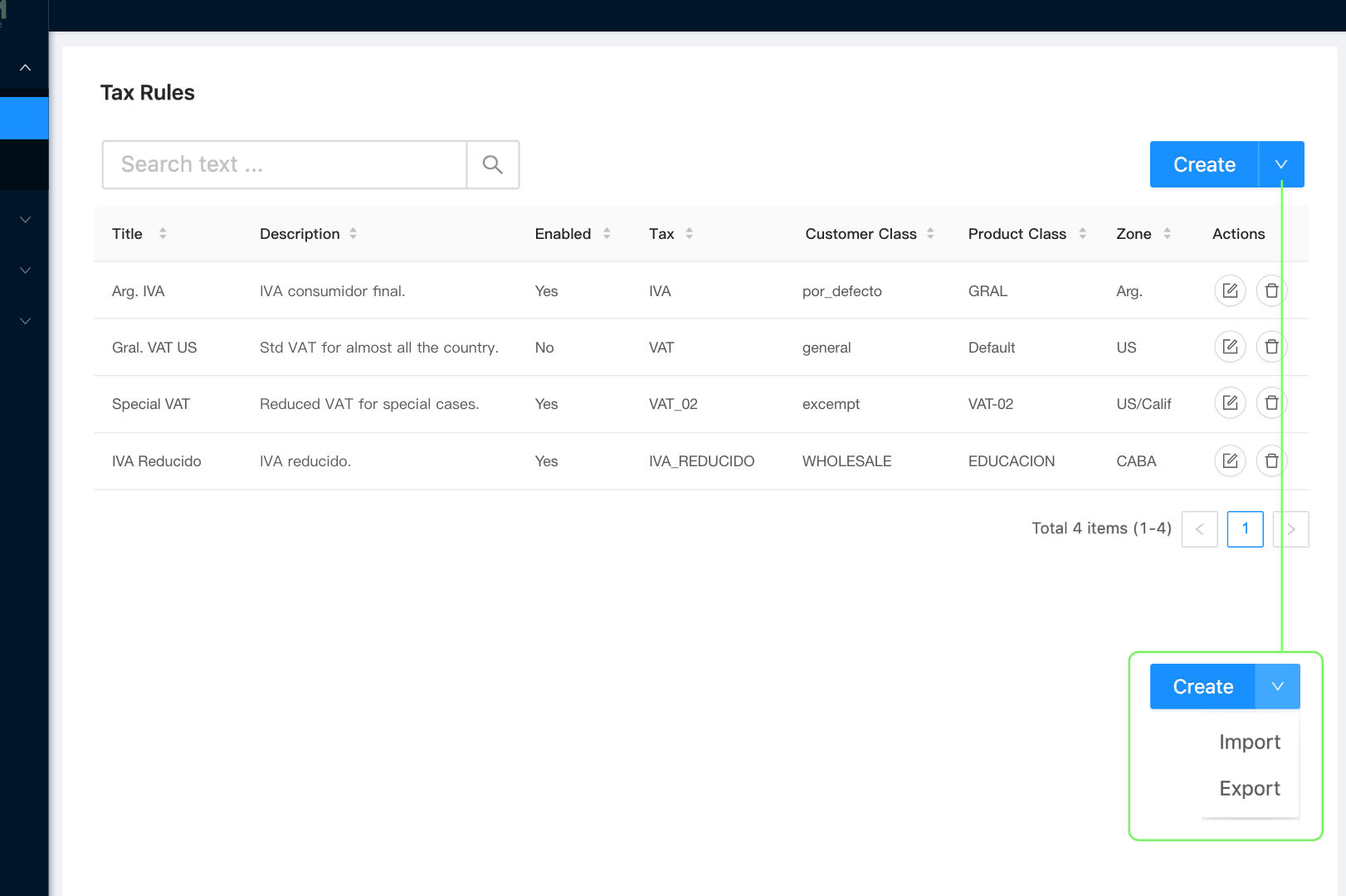
Tax rule grid screen.
Behavior
- Searchable
- Paginated
- Sortable
- Action buttons:
- Edit (pencil): Opens the entity form in edition mode.
- Delete (trash bin): Entity deletion with confirmation dialog.
- Button-Menu with the options:
- Create: Opens the entity form in creation mode.
- Import: Opens the system file dialog to load a file, and import taxes information.
- Export: Exports taxes information by download.
¶ Creation / Edition
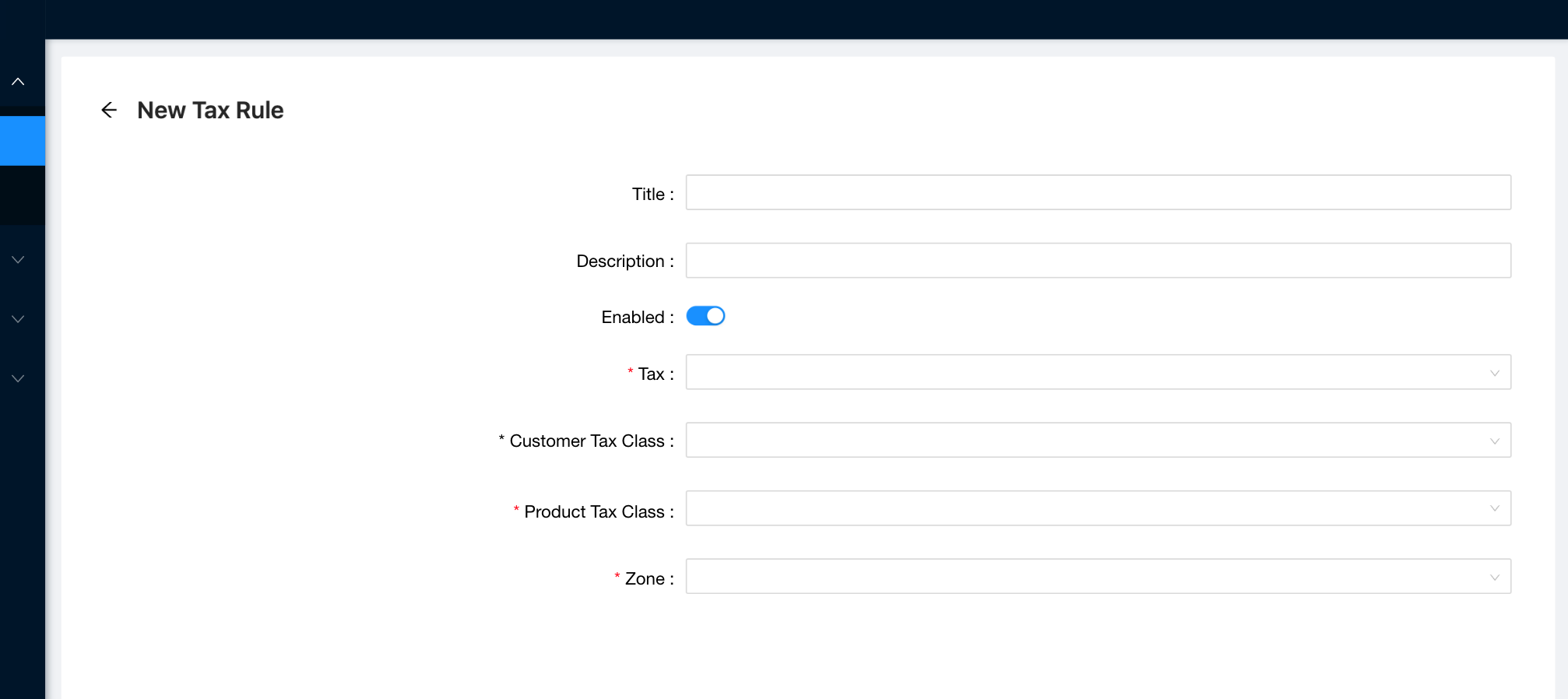
Tax rule form.
Behavior
- The only validation needed in the form is to check for required fields when applies (other validation are implemented in the API).
- The form shown in the image corresponds to the creation mode. The edition mode is almost the same but with the "Edit" word in the label instead of "New".
- The persistence of the entity is manager as usual with the bar "Discard changes / Submit".
- See field details in Tax Entities page.
¶ Tax Zone
Tax Zone entity CRUD screens.
¶ Listing
Tax zone screen.
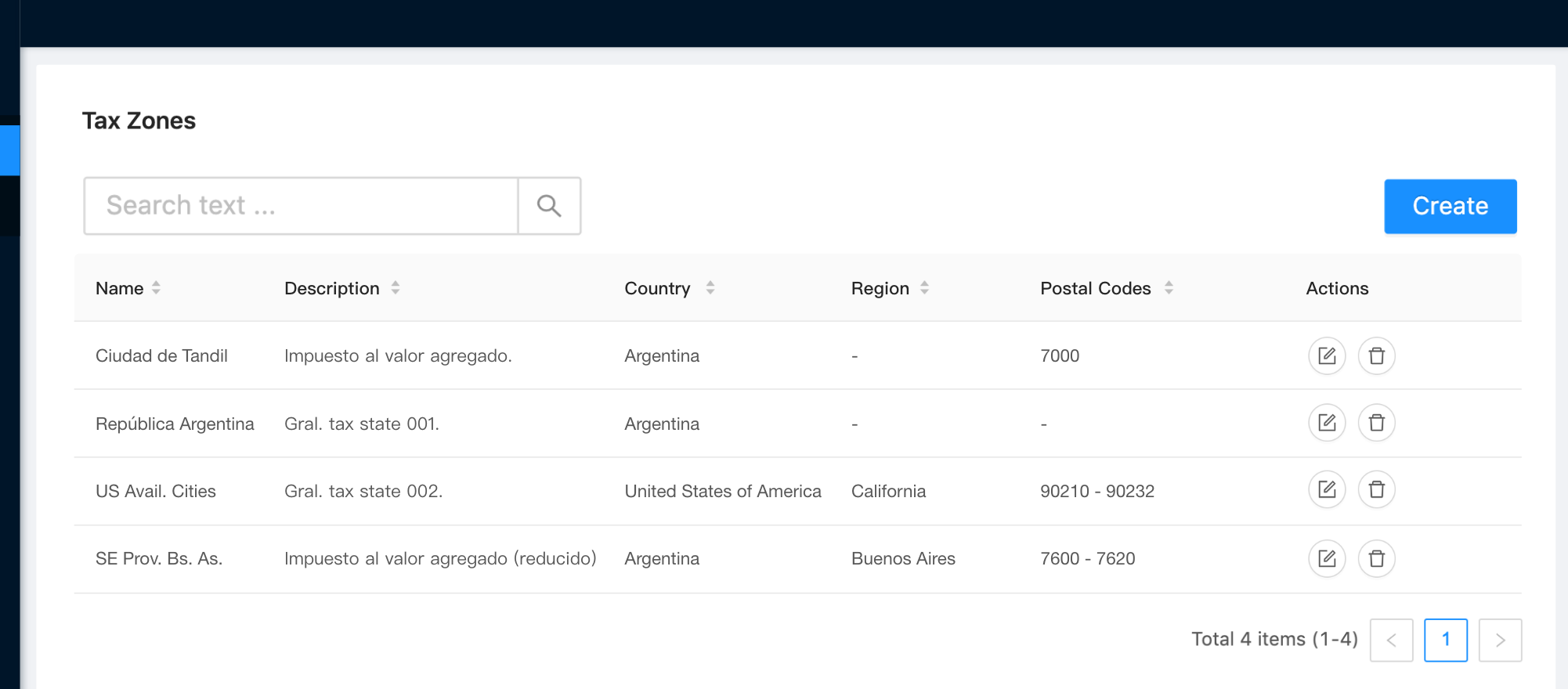
Behavior
- Searchable
- Paginated
- Sortable
- Action buttons:
- Edit (pencil): Opens the entity form in edition mode.
- Delete (trash bin): Entity deletion with confirmation dialog.
- Create button: Opens the entity form in creation mode.
¶ Creation / Edition
Tax Zone form.
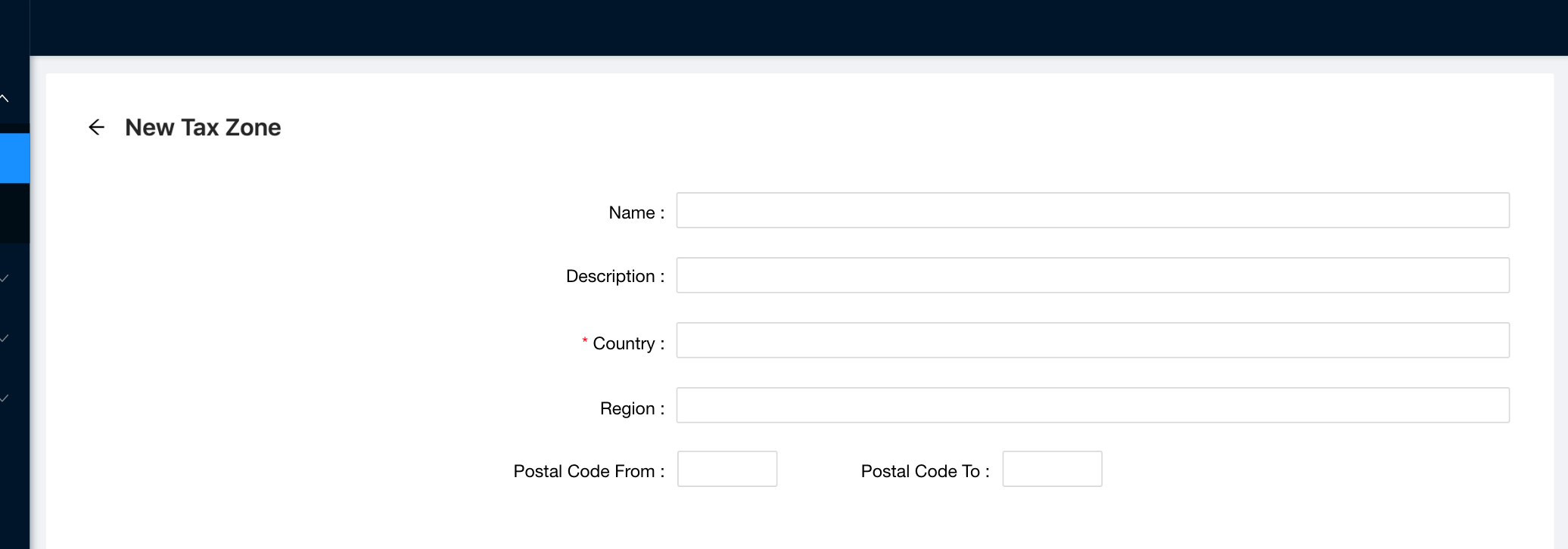
Behavior
- The only validation needed in the form is to check for required fields when applies (other validation are implemented in the API).
- The form shown in the image corresponds to the creation mode. The edition mode is almost the same but with the "Edit" word in the label instead of "New".
- The persistence of the entity is manager as usual with the bar "Discard changes / Submit".
- See field details in Tax Entities page.
¶ Customer Tax Class
Customer Tax Class entity CRUD screens.
¶ Listing
Customer Tax Class grid screen.
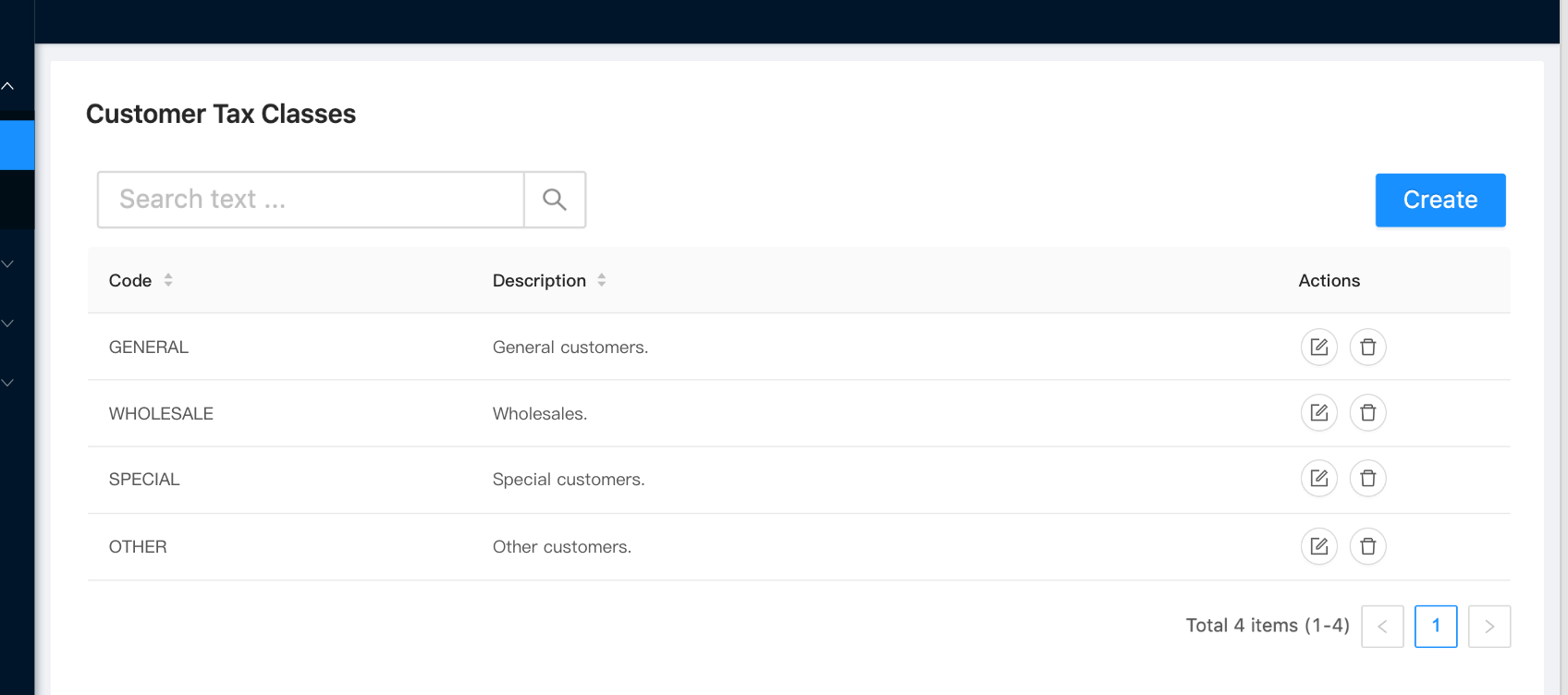
Behavior
- Searchable
- Paginated
- Sortable
- Action buttons:
- Edit (pencil): Opens the entity form in edition mode.
- Delete (trash bin): Entity deletion with confirmation dialog.
- Create button: Opens the entity form in creation mode.
¶ Creation / Edition
Customer Tax Class form.
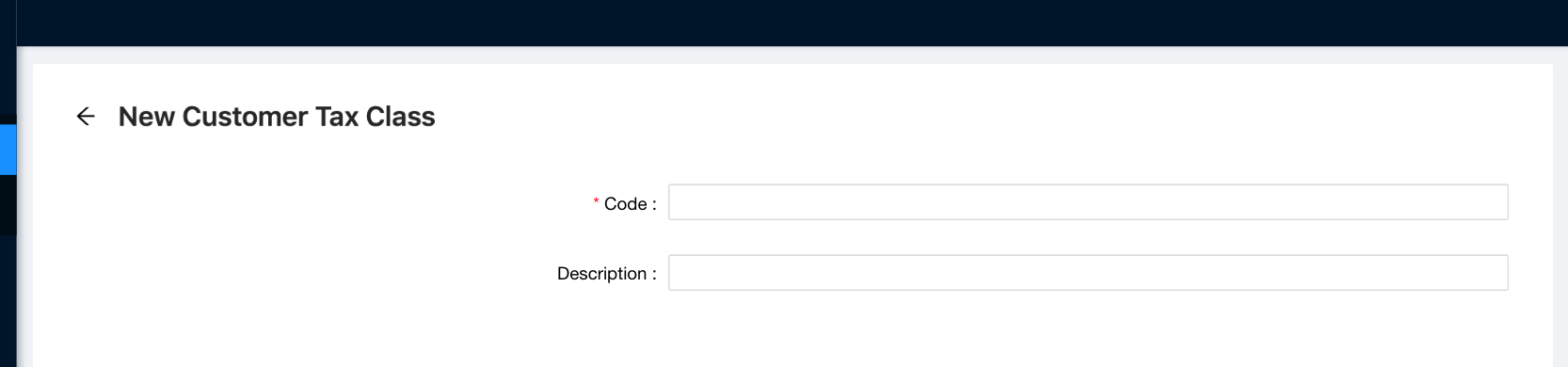
Behavior
- The only validation needed in the form is to check for required fields when applies (other validation are implemented in the API).
- The form shown in the image corresponds to the creation mode. The edition mode is almost the same but with the "Edit" word in the label instead of "New".
- The persistence of the entity is manager as usual with the bar "Discard changes / Submit".
- See field details in Tax Entities page.
¶ Product Tax Class
Product Tax Class entity CRUD screens.
¶ Listing
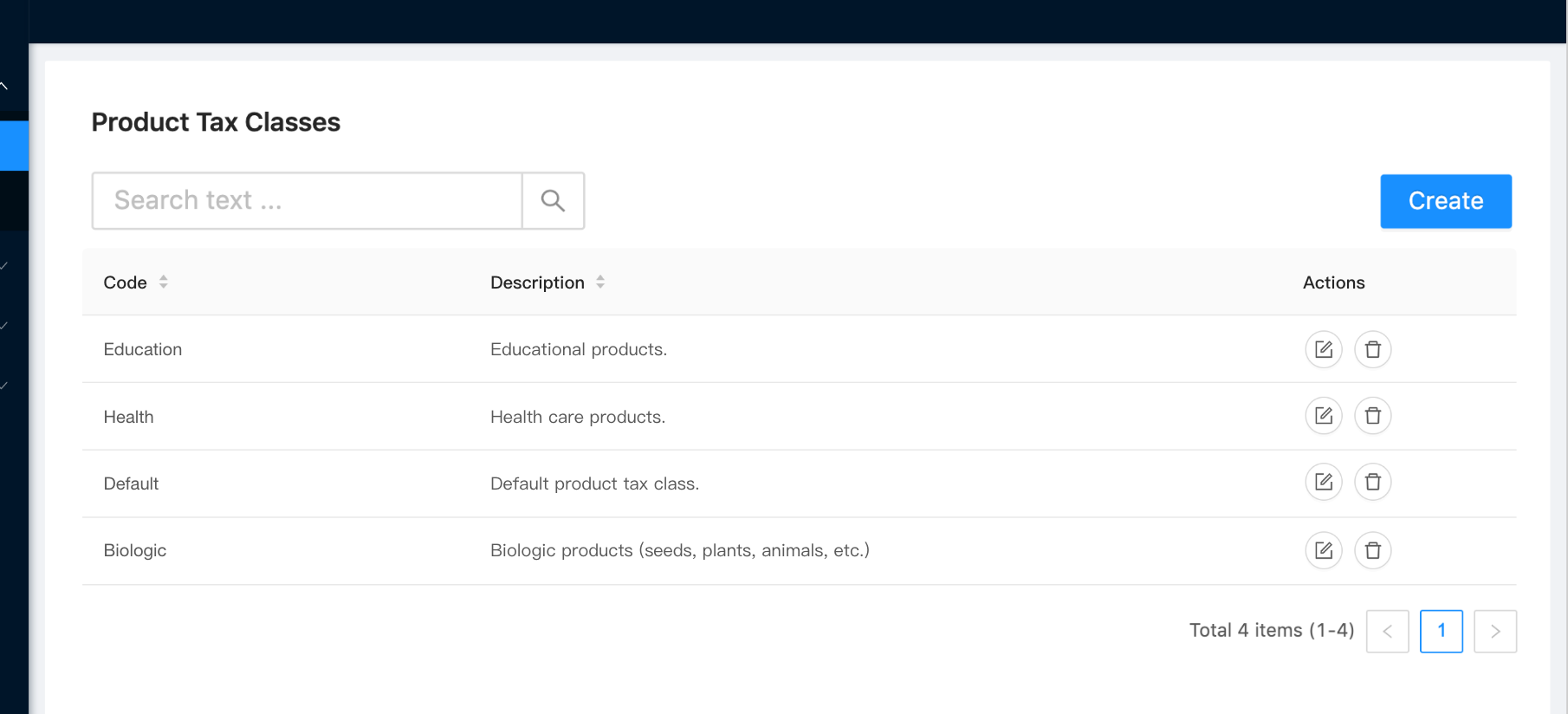
Product Tax Class grid screen.
Behavior
- Searchable
- Paginated
- Sortable
- Action buttons:
- Edit (pencil): Opens the entity form in edition mode.
- Delete (trash bin): Entity deletion with confirmation dialog.
- Create button: Opens the entity form in creation mode.
¶ Creation / Edition
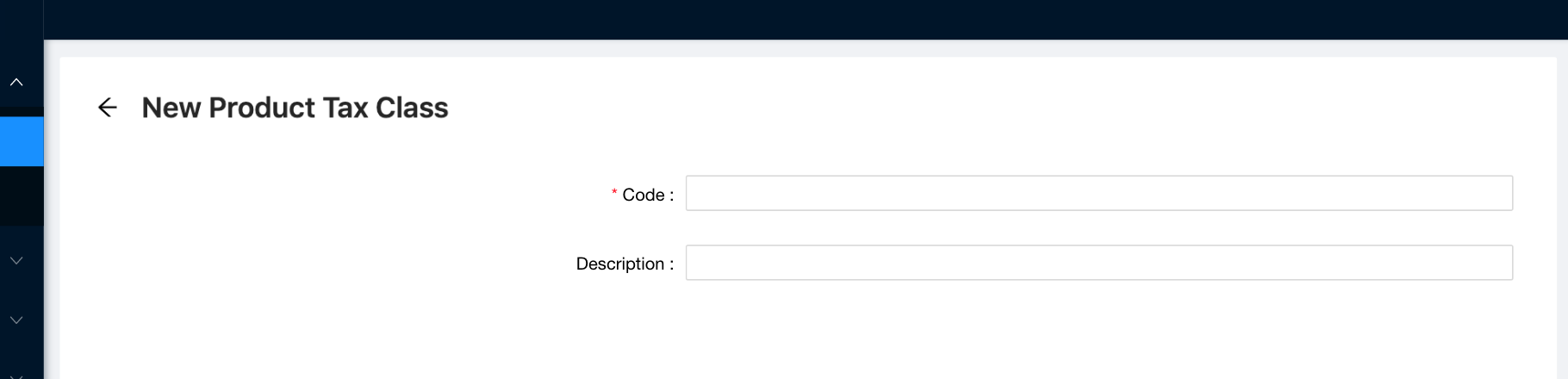
Product Tax Class form.
Behavior
- The only validation needed in the form is to check for required fields when applies (other validation are implemented in the API).
- The form shown in the image corresponds to the creation mode. The edition mode is almost the same but with the "Edit" word in the label instead of "New".
- The persistence of the entity is manager as usual with the bar "Discard changes / Submit".
- See field details in Tax Entities page.