¶ Admin Settings
The Admin settings section will be developed in three stages.
Stage 1: Generate the main screen supporting string configs.
State 2: Add support for color settings.
Stage 3: Add support for asset settings.
¶ Stage 1
¶ Design
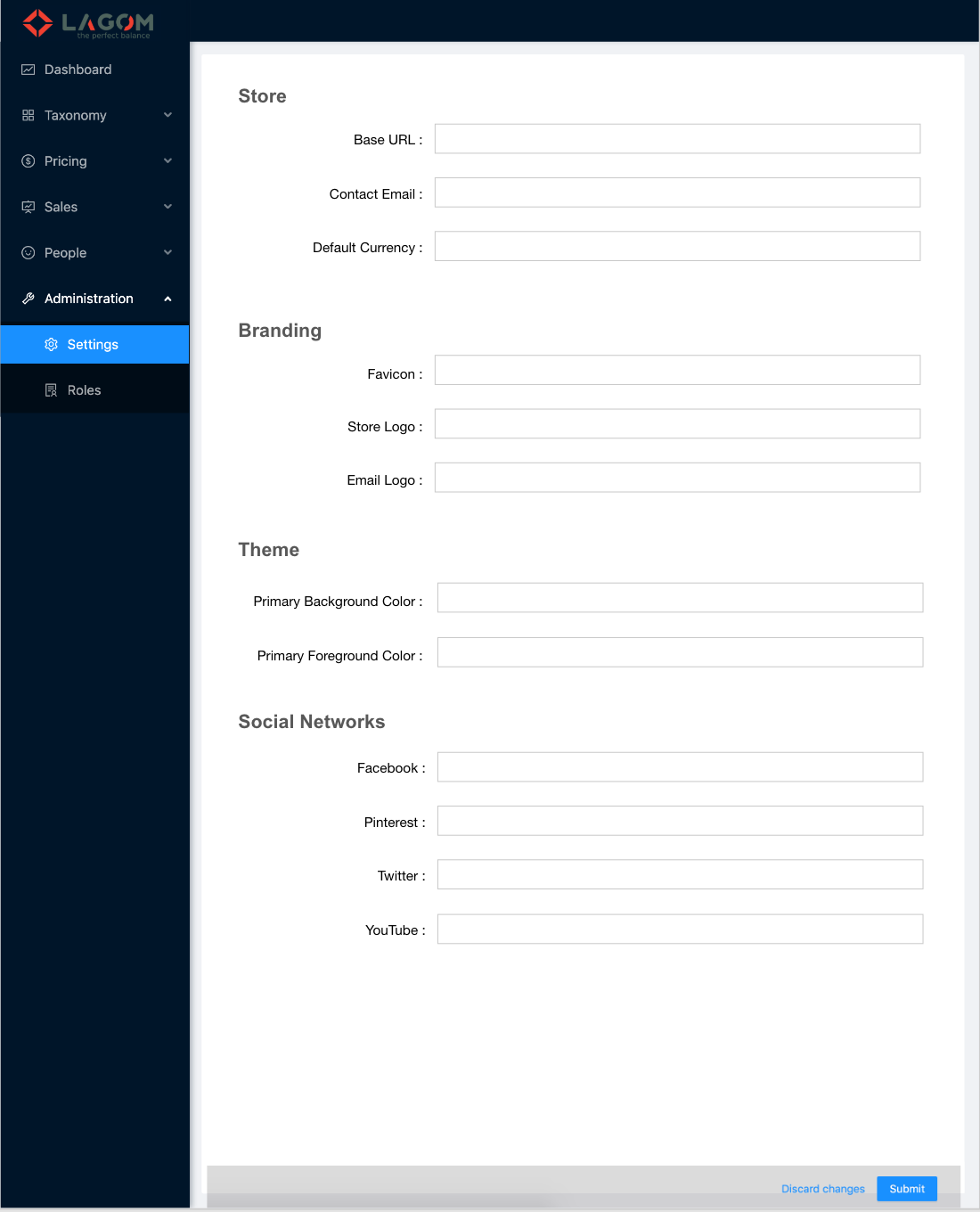
This screen will be accessible thogh the URL path /settings.
¶ UI
- One title for each section returned by the API
- Sorted in the order returned by the API.
- Section title given by the field
name.
- Inside each section, one peer label-input for each setting on it
- Sorted in the order returned by the API.
- Setting label given by the field
name. - Setting input with no value restrictions.
- Setting values not required.
- Auto-togglable Discard/Submit bar
- Same design as for all the forms in the Admin.
- Only visible when changes were made in some of the settings.
¶ Behavior
-
On page loading
All the screen is loaded with the values given by the API. -
On setting edit
After any change in the setting values, the Discard/Submit bar will be visible.
If the values are restored by edition to the originally obtained from the API, the Discard/Submit bar hides. -
On submit
The modified settings are sent to the API for storage.
¶ Stage 2
¶ Design
¶ UI
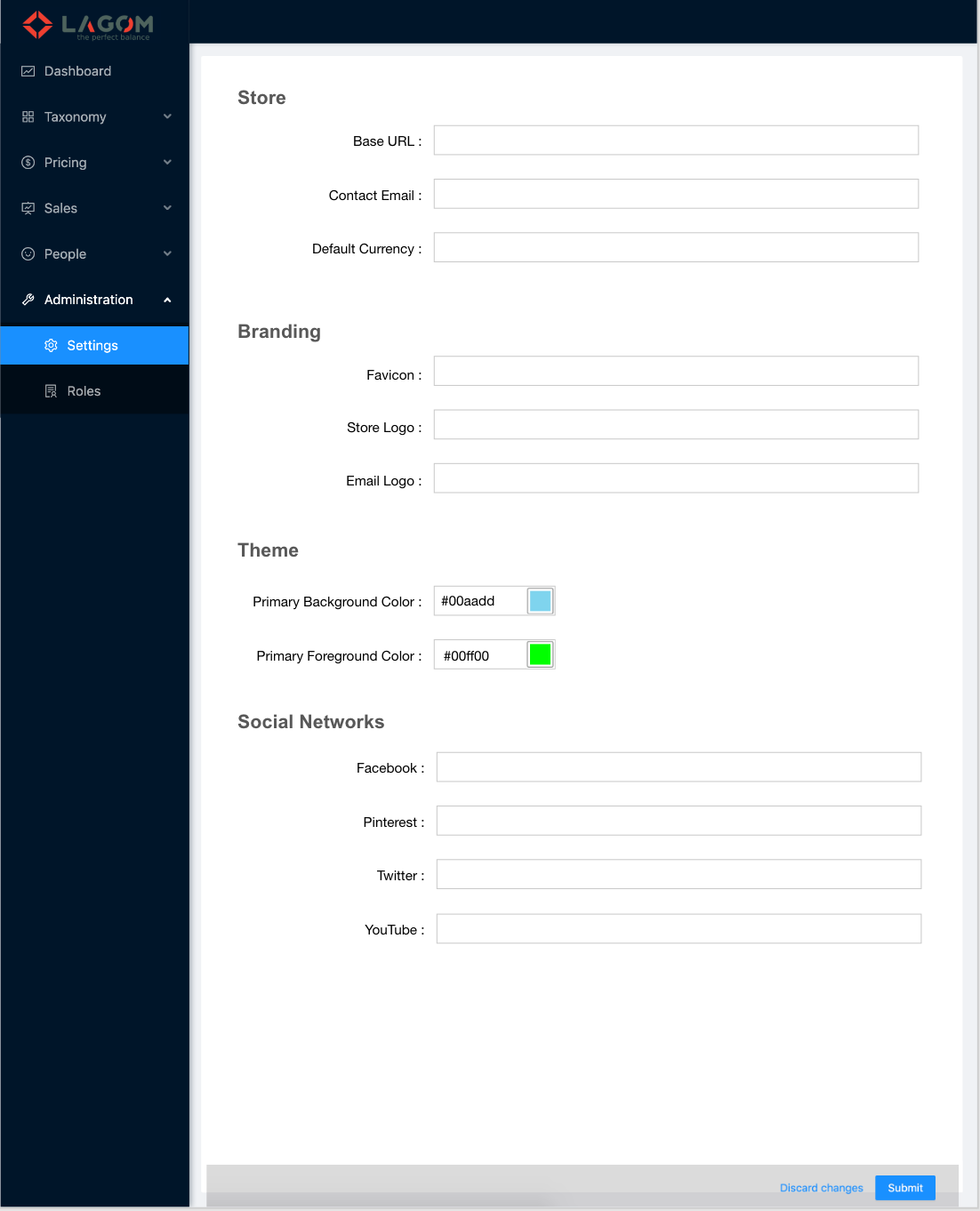
- Elements of logic type
color- The elements of the logic type (
logicType)colorreturned by the API are rendered using a color picker.
- The elements of the logic type (
¶ Behavior
- On page loading
- The color settings are set in the color pickers.
¶ Stage 3
¶ Design
¶ UI
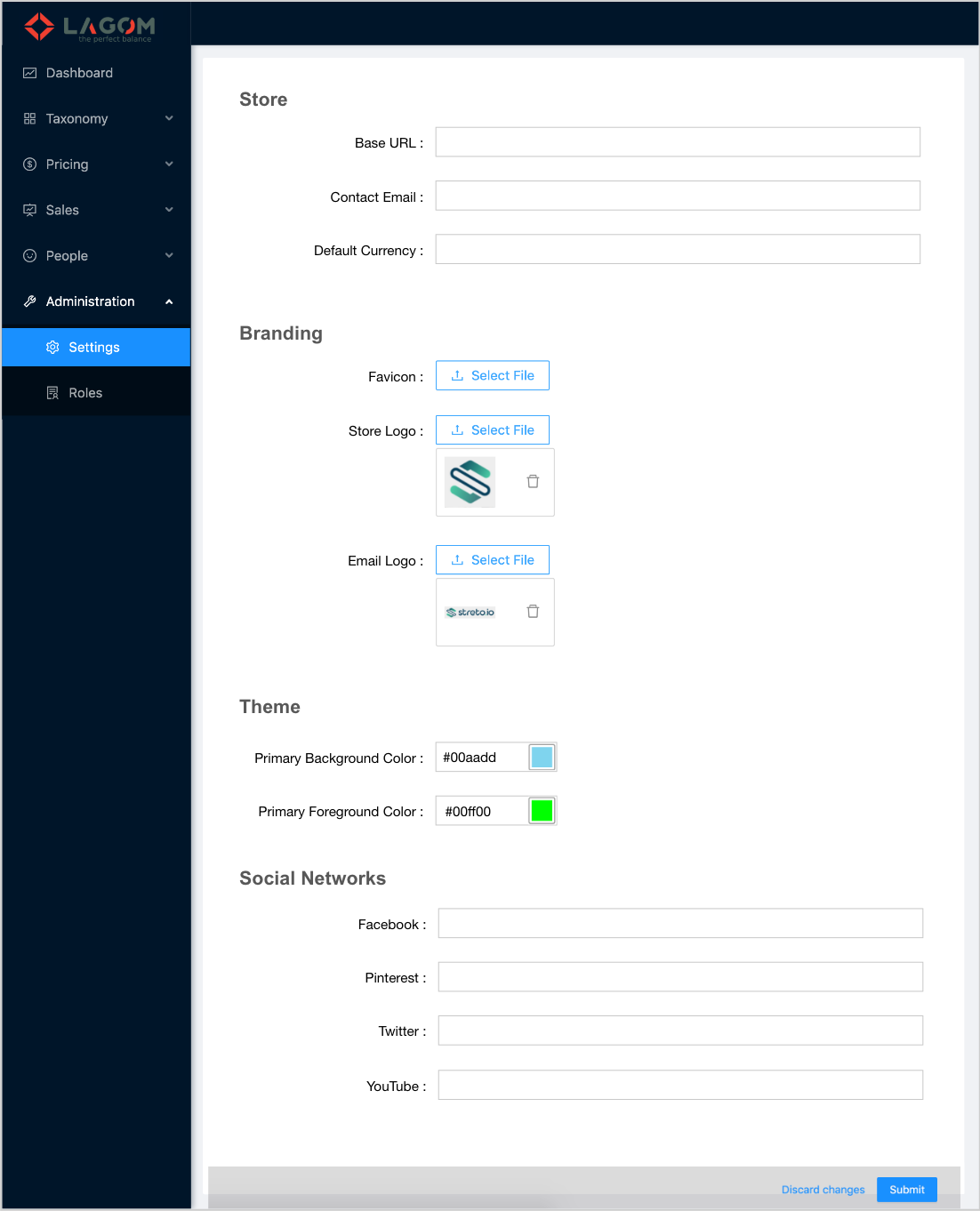
- Elements of logic type
asset- The elements of the logic type (
logicType)assetreturned by the API are rendered using the value to generate the file URL. - The file selector used follows the styles of Ant Design.
- In this stage the files supported for assets will be images.
- If the setting has a value, the asset image is shown as a thumbnail.
- If the setting has no value, the thumbnnail is not show.
- In all cases the field has a file selector to upload a new image and set it as the new setting value.
- The setting value for assets is the asset Id.
- If the setting has an associated asset, there it a button on the right of the thumbail to be used to delete it and set the setting as empty.
- The elements of the logic type (
¶ Behavior
- On page loading
- The
assetsettings thumnails are loaded with the associated image, if any.
- The