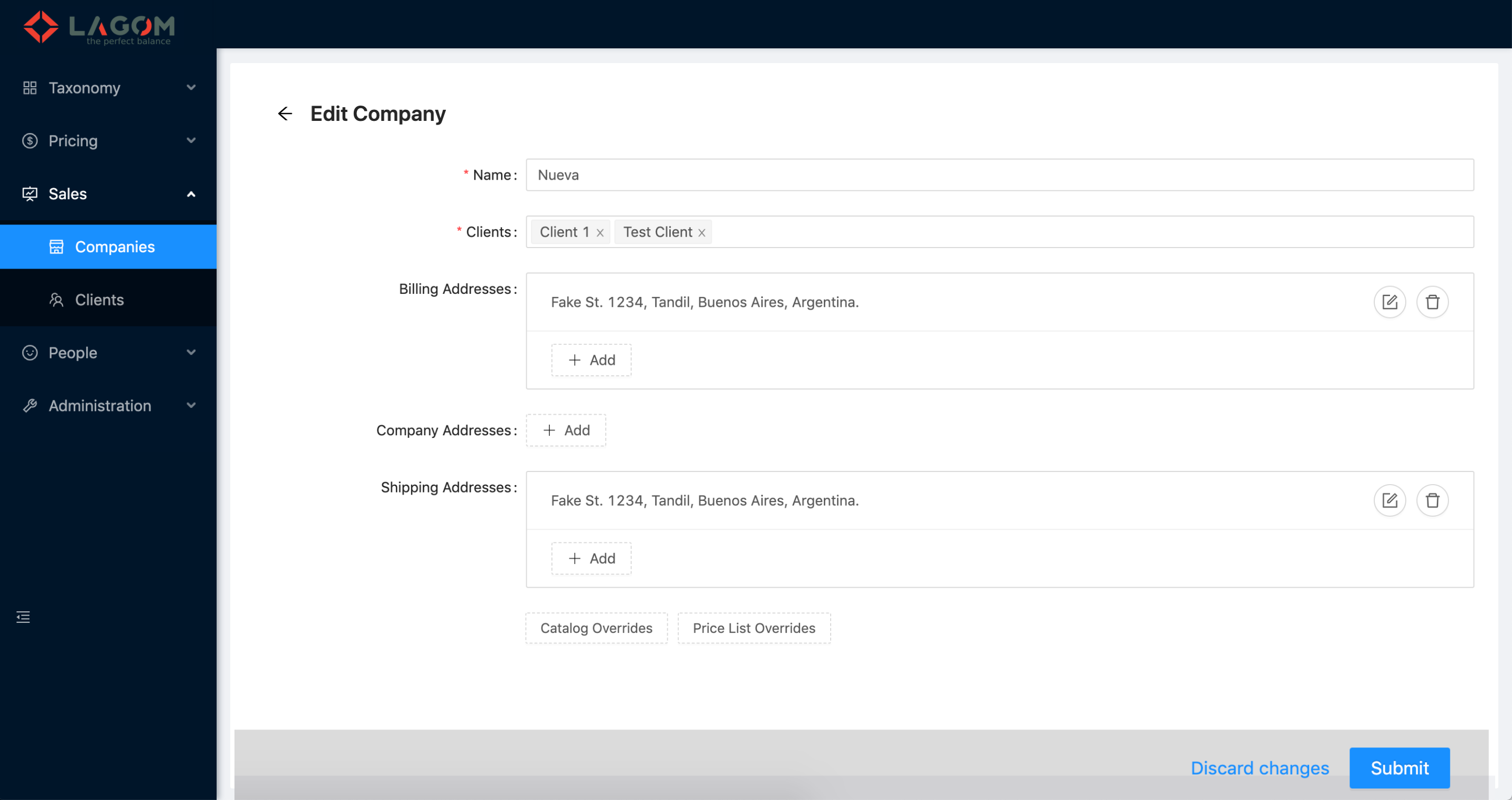
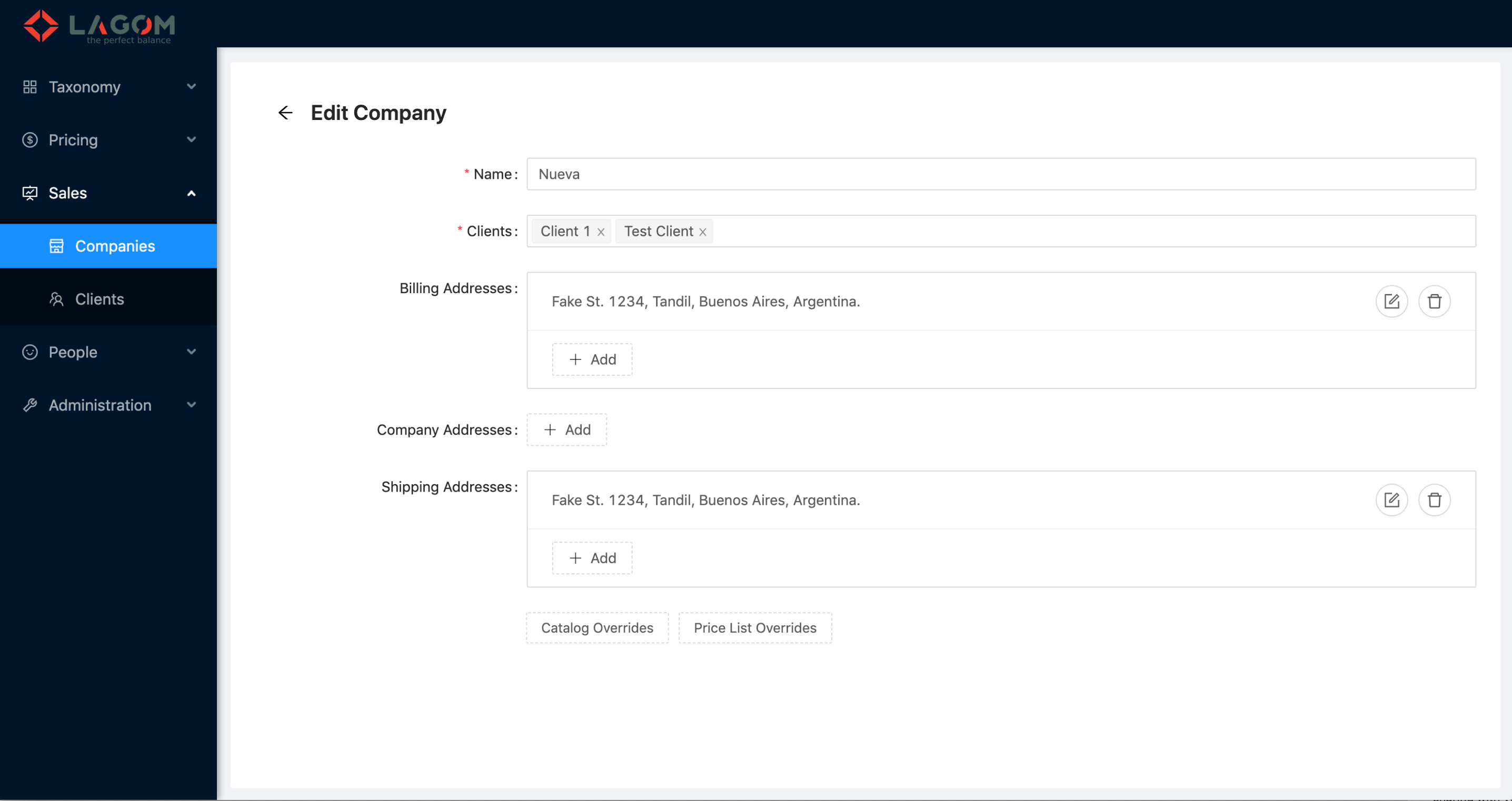
This design corresponds to the overridable features at Company level:
- Override Catalog by Client
- Override Price List by Client
 Available in XD cloud file. But due to limitations in the account plan, cannot be shared. Please ask for specific permission to download the designs.
¶ Override Buttons
- Catalog Overrides
- Price List Overrides
¶ Catalog Overrides Modal
¶ The modal
-
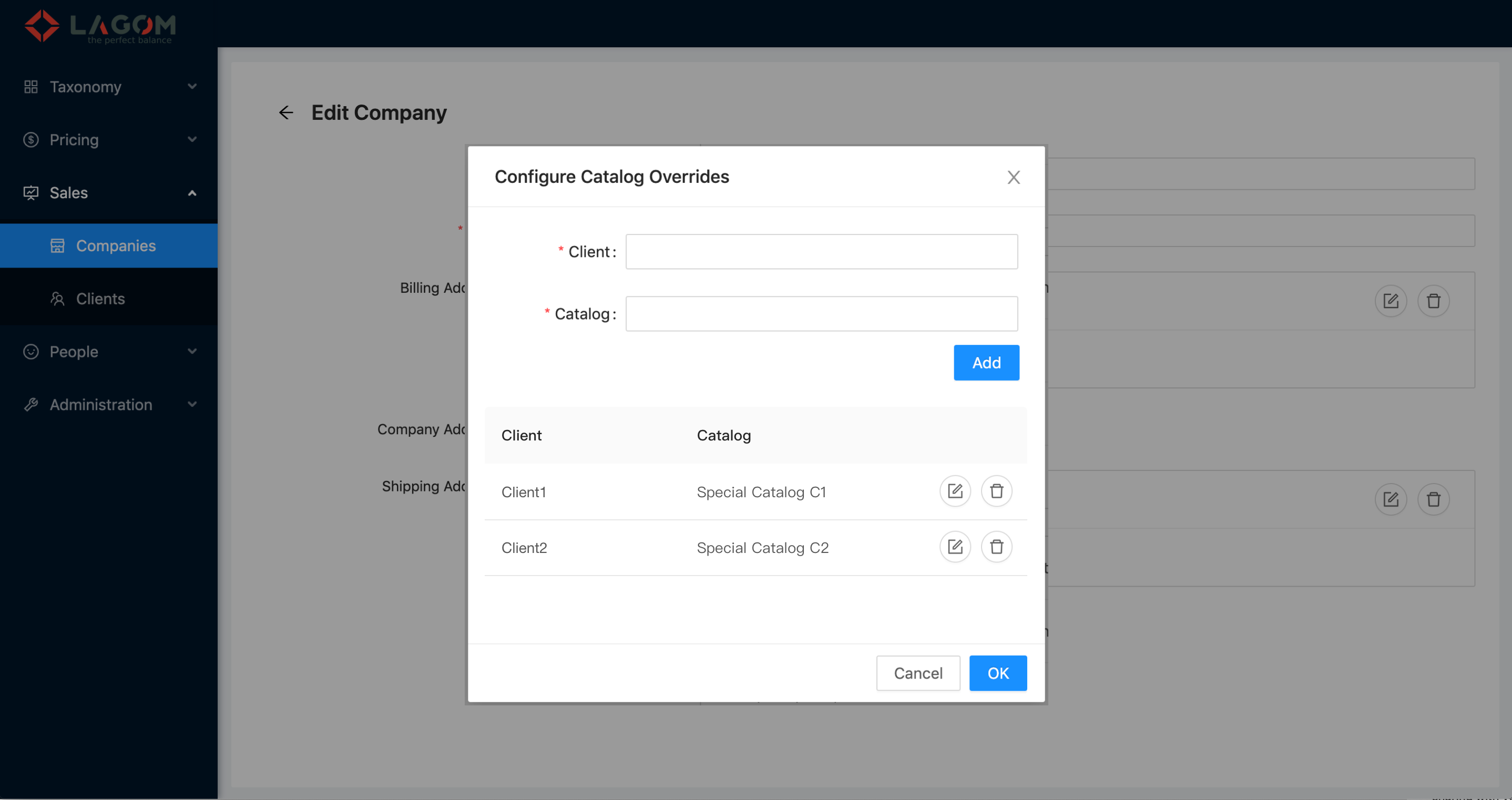
When clicking on "Catalog Overrides", the modal is opened.
-
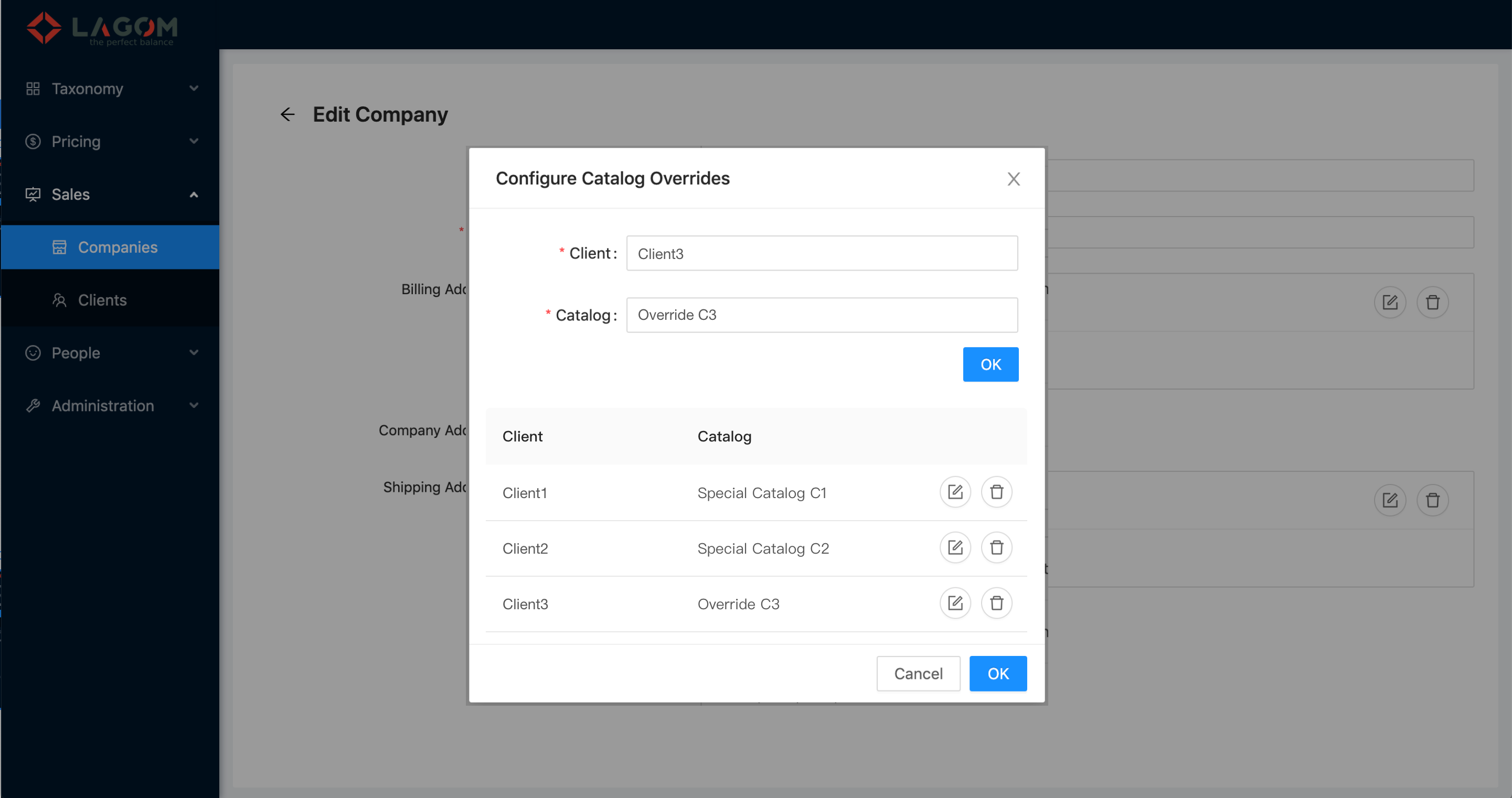
The modal shows:
- The fields to add or edit overrides: Client and Catalog.
- The button to add (label "Add") or accept edited (label "OK") override.
- The grid of current overrides with columns Client, Catalog and actions (this last one without label). This grid does not need to show pagination controls and count information.
- The footer with buttons Cancel (to close the modal with no changes), and OK (to close the dialog accepting changes but not saving them to the API yet).
¶ Add Catalog Override
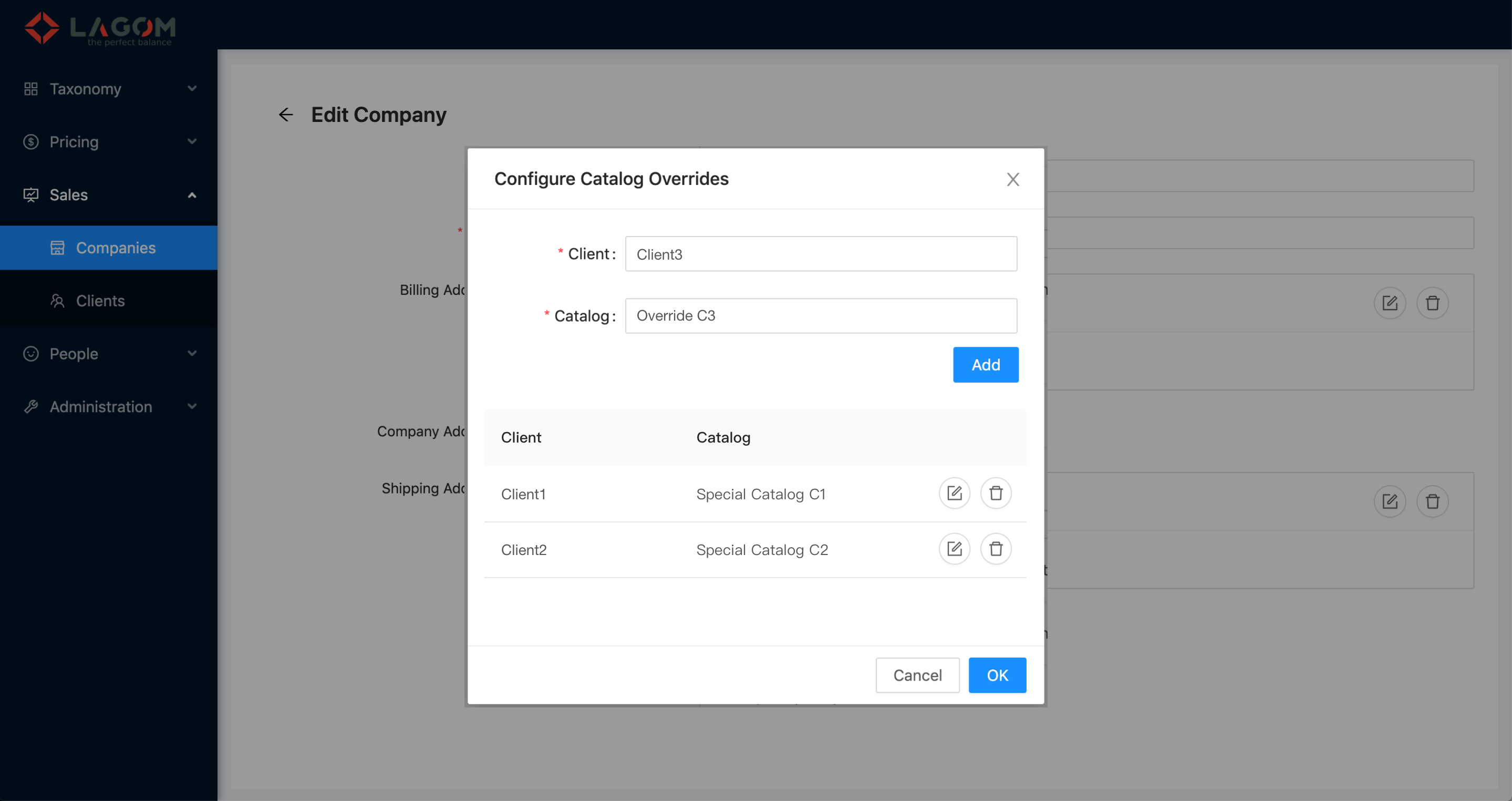
- To add a new override, the user enters Client and Catalog, and click Add. That adds the new override to the grid.
- The field Client provides suggestions/autocomplete showing the list of assigned clients to the company that are not already overriden.
- The field Catalog provides suggestions/autocomplete showing the available catalogs that are not already overriden.
¶ Edit Catalog Override
- To edit an override, the user clicks on the pencil icon in the desired row.
- The fields Client and Catalog are filled up in the fields Client and Catalog.
- The button to accept the editions is labeled "OK".
- When clicking that button "OK" (the one near the fields), the editions are reflected in the grid.
¶ Price List Overrides Modal
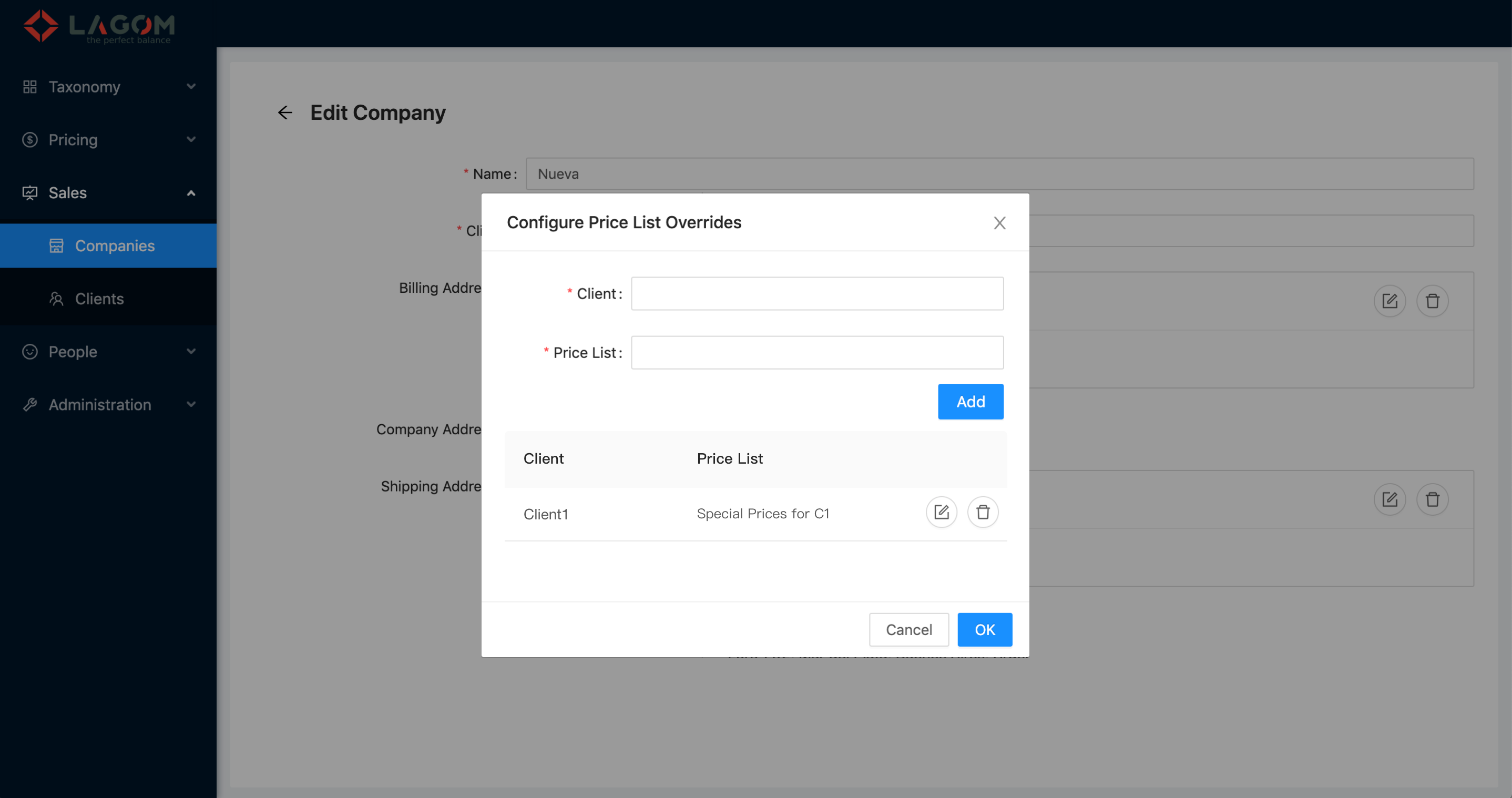
All the price lists overrides works in the same way as the catalog overrides.
Added screens to see the differences and labels:
¶ Modified Overrides
- When accepting changes in either the Catalog Overrides Modal or the Price List Overrides Modals, the Company form shows the Discard/Submit bottom bar.
- When clicking on Discard no changes are saved.
- When clicking on Submit, the company is saved including all overrides.