¶ Token times setted up for development environment
Recomended values
Guest token lifetime: 12 hours
Guest refresh token: 7 days.
Customer token lifetime: 15 minutes.
Customer refresh token: 12 hours.
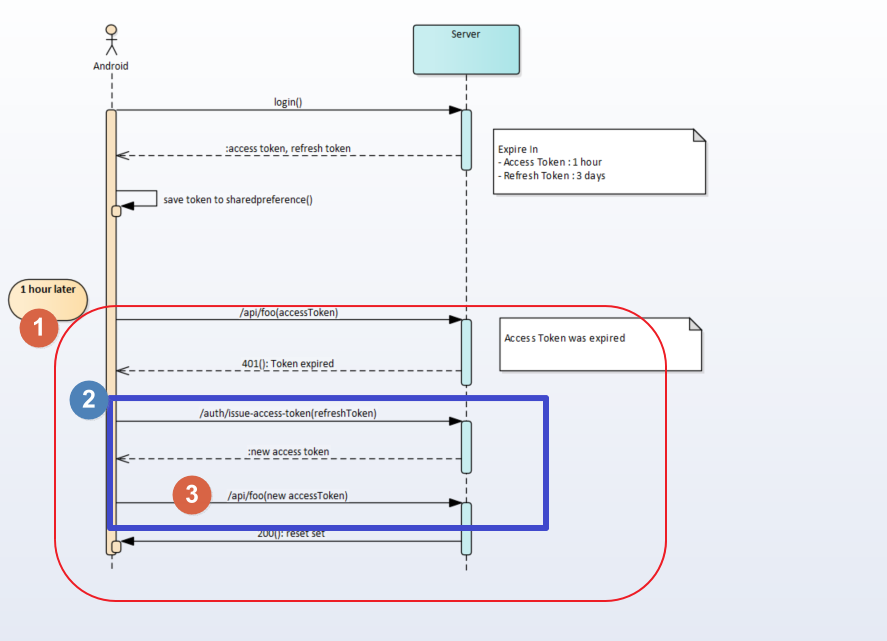
With this configurations, for example, for customers, every 15 minutes the token expires and request for new one while 12 hours.
¶ Refresh token configuration
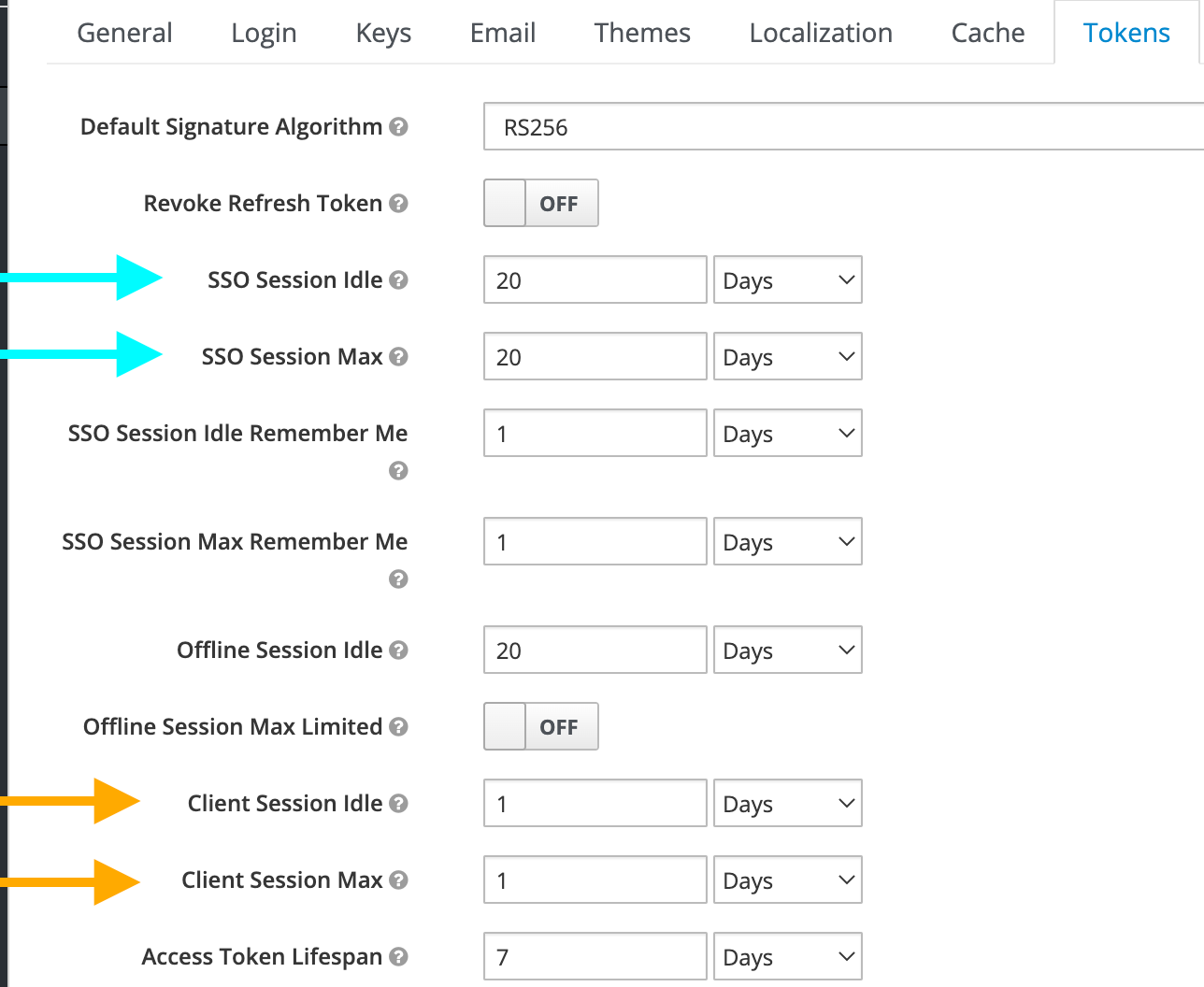
In keycloak console, two configuration sections are relative to access token and refresh token lifespan, tab “Tokens“ in “Realm Settings“ and “Advanced Settings in “Clients → {client}“.
The order of precedence to determines what config is the actual is “Client Settings” over “Realm Settings”. The tab “Tokens” in Realm Settings plays the rol of Global configurations and the Client settings are specific to this client. If the same fields was configured in both, clients settings imposes.
There is no specific field to configure “refresh token lifespan“. The value of refresh token is determined by the client advanced settings, (Case 1), if they are set or in the “Tokens” tab in Realm Settings, (Case 2).
The quick way is Case 1:
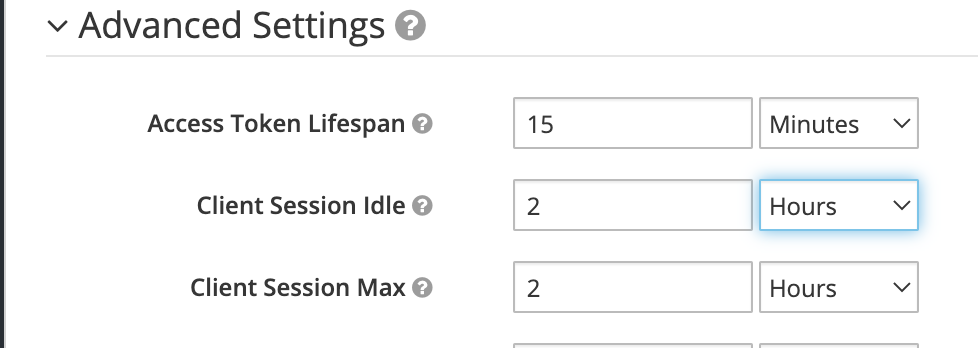
Three fields are involved in this configuration in “Clients → {client}“ section: “Access Token Lifespan“, “Client Session idle“ and “Client Session Max“.
Access Token Lifespan is the time to live for the access token; “Client Session Idle“ is the allowed time to be inactive before session dies and “Client Session Max“ is the maximum time to live from access token. The refresh token time is the minimum between Clients fields.
For example, if we need to set a 15 minutes access token life and 2 hours to refresh token life, we need to set that configuration:
Case 2:
If the Clients settings are not set, the refresh token lifespan is the minimum between “SSO session Idle“ and “SSO session Max“, except we set the “Client Session Idle“ and “Client Session Max“, In that case, the refresh token value is the minimum between those fields. The order of precedence is Clients fields over SSO fields.